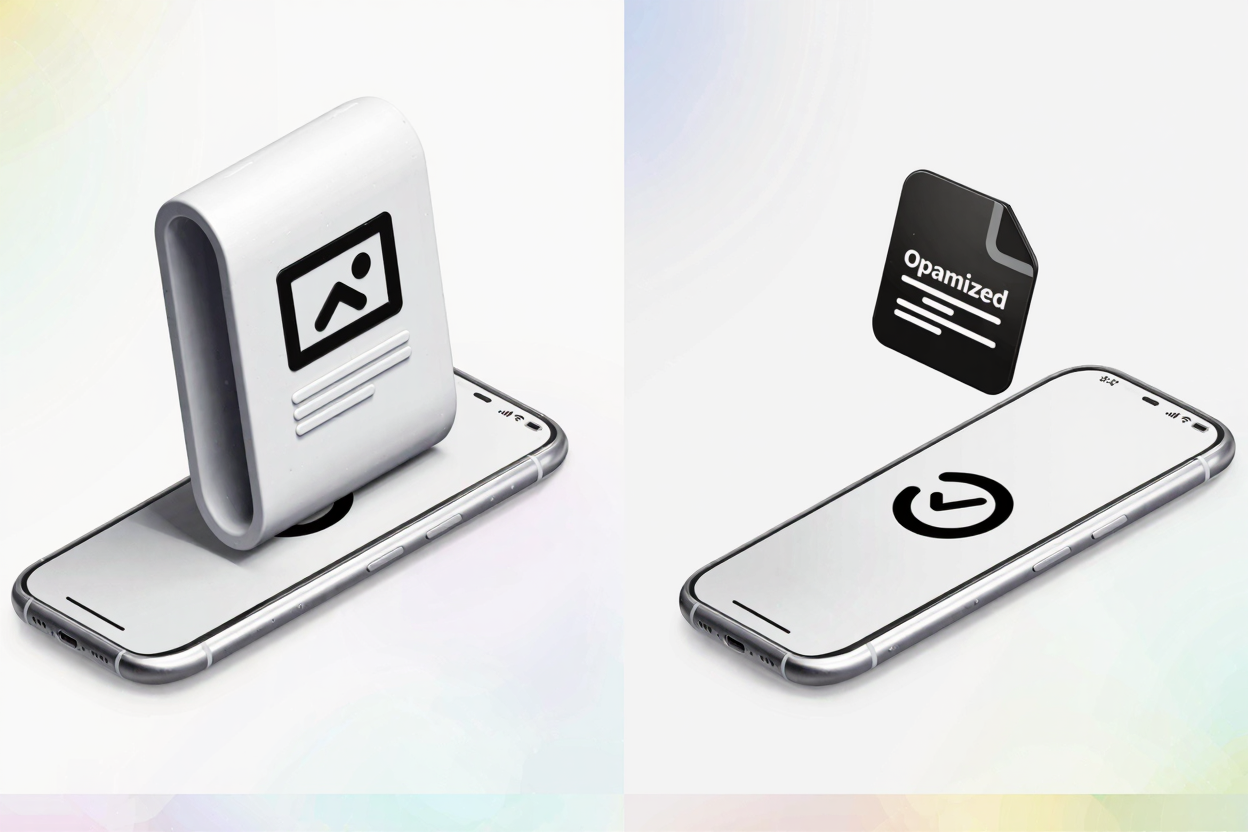
The digital landscape is increasingly mobile-first. Users expect instant gratification, and a slow-loading website can be the difference between a new customer and a lost opportunity. At the heart of many mobile performance issues lies one often-overlooked culprit: image size. Understanding and addressing this impact is crucial for anyone aiming for a successful online presence.
Mobile page speed is a critical factor for user experience and search engine optimization (SEO). Google, in particular, places significant emphasis on how quickly your pages load on mobile devices. A website that takes too long to display its content can lead to higher bounce rates, frustrated visitors, and ultimately, lower search rankings. Images, while vital for visual appeal and conveying information, are frequently the largest assets on a webpage, directly contributing to its overall load time.
Why Mobile Page Speed Matters More Than Ever
In today's fast-paced world, mobile devices are the primary way many users access the internet. From browsing social media to online shopping, the smartphone is the gateway to information. This shift has elevated user expectations; studies show that most users will abandon a page if it doesn't load within a few seconds. For businesses and content creators, this means every millisecond counts in retaining visitor attention and driving conversions.
Google's Core Web Vitals initiative further underscores the importance of page speed. Metrics like Largest Contentful Paint (LCP), First Input Delay (FID), and Cumulative Layout Shift (CLS) are now key ranking signals. LCP, in particular, often relates directly to how quickly the largest image or content block on your page becomes visible. Optimizing your images is a direct path to improving these vital scores.
The Direct Link Between Image Size and Load Time
Think of your website as a delivery truck. Each image is a package it needs to deliver. A large, unoptimized image is like an oversized, heavy package that takes up too much space and slows down the entire delivery process. When a user accesses your site on a mobile device, their browser has to download all the assets, including images. If these image files are excessively large, they consume more bandwidth and take longer to transfer from the server to the user's device.
This problem is exacerbated on mobile networks, which can be less stable or slower than typical broadband connections. A user on a limited data plan might also be hesitant to wait for large images to load, potentially abandoning your site to save data. The cumulative effect of multiple large images on a single page can turn a smooth browsing experience into a frustrating wait.
Understanding Image Optimization for Mobile
Optimizing images for mobile involves a multi-faceted approach, focusing on reducing file size without compromising visual quality. The goal is to deliver the smallest possible image file while maintaining an acceptable level of clarity and detail for the user.
Image Dimensions vs. File Size
It's important to distinguish between an image's dimensions (width and height in pixels) and its file size (in kilobytes or megabytes). A high-resolution image might have large dimensions suitable for a desktop display, but rendering this same large image on a small mobile screen is inefficient. The browser still downloads the full-sized image, then scales it down, wasting bandwidth and processing power. Always resize images to the maximum dimensions they will actually be displayed at on your website.
Choosing the Right Image Format
Different image formats have different characteristics. While JPEG is often preferred for photographs due to its efficient lossy compression, PNG is excellent for images with transparency, sharp lines, or fewer colors, such as logos, icons, and illustrations. However, PNG files can be significantly larger than JPEGs if not properly optimized. For web use, newer formats like WebP offer superior compression for both photographic and graphic images, but browser support isn't yet universal, making PNG a reliable choice for many applications.
The Power of Compression
Image compression is the process of reducing the file size of an image. There are two main types:
- Lossless Compression: This method reduces file size without any loss of quality. It works by removing redundant data and metadata. For PNG files, lossless compression is highly effective in reducing file sizes while preserving every pixel of information.
- Lossy Compression: This method permanently removes some image data to achieve greater file size reduction. While it can dramatically shrink file sizes, it comes at the cost of some quality degradation, which may or may not be noticeable depending on the image and the compression level. JPEG uses lossy compression.
For PNG files, a dedicated PNG optimization tool like PNGMinify is invaluable. It applies advanced lossless compression algorithms to significantly reduce your PNG file sizes, often by 50-80%, without sacrificing a single pixel of visual fidelity. This ensures your images load faster on mobile without looking pixelated or blurry.
Practical Steps to Optimize Images for Mobile
- Resize Images Appropriately: Before uploading, ensure your images are sized to the maximum dimensions they will appear on your site. Don't upload a 4000px wide image if it will only ever display at 800px.
- Compress Images: This is perhaps the most impactful step. Use tools designed for image compression. For PNGs, you can easily compress your PNG files for free directly through our website, making your images lightweight and fast-loading.
- Use Responsive Images: Implement
srcsetandsizesattributes in your<img>tags. This tells the browser which image size to load based on the user's screen resolution and device, ensuring mobile users don't download unnecessarily large images. - Implement Lazy Loading: This technique defers the loading of images that are not immediately visible in the user's viewport. Images only load as the user scrolls down the page, improving initial page load times significantly. Modern browsers often support native lazy loading with the
loading="lazy"attribute. - Consider Next-Gen Formats: While PNG and JPEG are standard, explore formats like WebP or AVIF if your audience's browsers support them. These can offer superior compression.
The PNGMinify Advantage
PNGMinify specifically targets PNG files, a format widely used for its transparency support and crisp graphics. Many websites rely heavily on PNGs for logos, icons, and illustrations. By enabling you to compress your PNG files for free, we provide a simple yet powerful solution to one of the biggest bottlenecks in mobile page speed. Our tool is designed for efficiency, delivering optimized images in seconds, helping you improve your Core Web Vitals and provide a superior mobile experience.
As web developers, we often work with various data formats and tools to ensure optimal performance and user experience. Just as we use a <a href="https://devtoolhere.com/tools/json-formatter" target="_blank" rel="noopener noreferrer">JSON Formatter</a> to validate and beautify structured data, we rely on specialized image optimization tools to perfect our visual assets. Each tool plays a role in building a fast, efficient, and user-friendly website.
FAQ
Q1: What is the ideal image size for mobile?
A1: There isn't a single "ideal" size, as it depends on where the image is displayed. However, aim for the smallest possible file size (in KB) while maintaining acceptable visual quality. For dimensions, resize images to the maximum width they will actually appear on the mobile screen, often between 320px and 800px for full-width images, and much smaller for thumbnails or icons.
Q2: Does image compression reduce image quality?
A2: It depends on the compression method. Lossless compression, like that used by PNGMinify for PNG files, reduces file size without any perceptible loss of quality. Lossy compression, used for formats like JPEG, removes some data and can lead to a slight reduction in quality, though often unnoticeable at moderate compression levels.
Q3: How often should I optimize my website images?
A3: Ideally, all images should be optimized before they are uploaded to your website. Make image optimization a standard part of your content creation workflow. If you have an existing website with many unoptimized images, a one-time audit and optimization effort can yield significant performance improvements.
Ready to supercharge your mobile page speed and enhance your website's SEO? Don't let large image files slow you down. Start optimizing your PNGs today and give your users the fast, seamless experience they deserve.