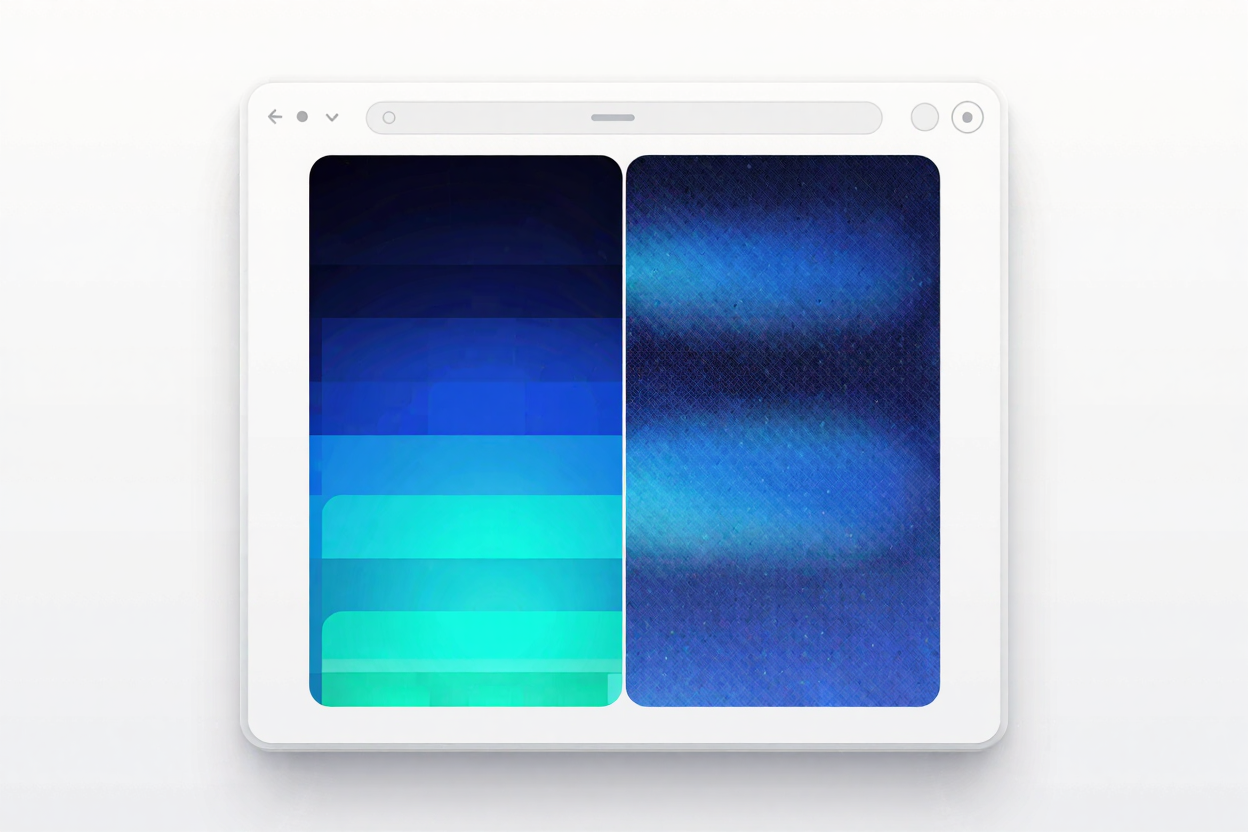
In the world of web design and digital imagery, achieving the perfect balance between visual quality and file size is a constant challenge. One technique that often flies under the radar, yet plays a crucial role in this balancing act, is image dithering. Understanding dithering can significantly improve how your images appear on various screens while keeping your website fast and efficient.
This article will demystify image dithering, explain how it works, and guide you on when to leverage its power for optimal web performance and visual fidelity, especially for your PNG files.
What is Image Dithering?
At its core, image dithering is a technique used to simulate a wider range of colors than is actually available in an image's color palette. Imagine you have an image that uses millions of colors, but you need to save it in a format that only supports 256 colors. Without dithering, this reduction in color depth would result in harsh color transitions and visible banding, making gradients look blocky and unnatural.
Dithering solves this by strategically distributing available colors to create the illusion of intermediate shades. It places pixels of different colors close together, tricking the human eye into perceiving a new, blended color. Think of it like pointillism in art, where small, distinct dots of color combine to form a continuous image from a distance.
How Dithering Works
When an image's color depth is reduced, dithering algorithms come into play. These algorithms analyze the difference between the original color and the closest available color in the limited palette. Instead of simply replacing the original color, the