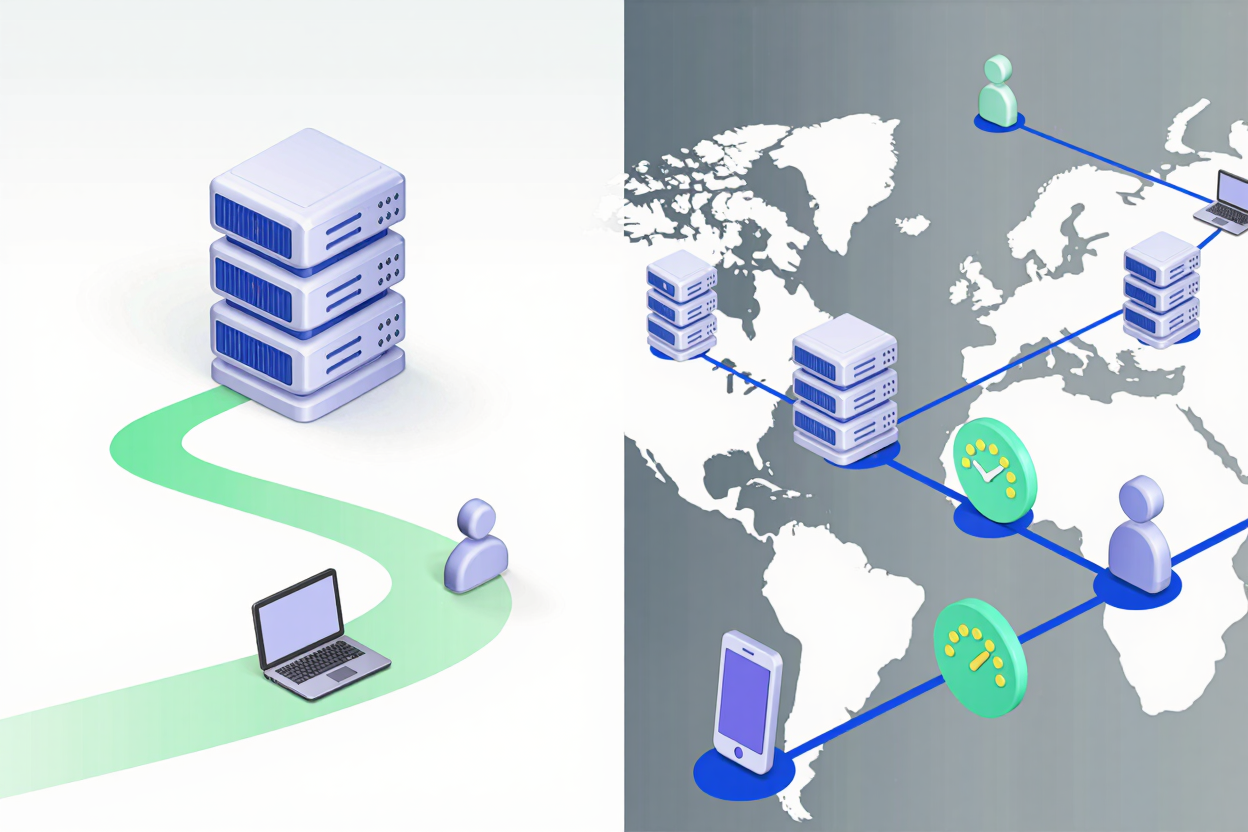
The speed of your website is paramount for user experience and SEO. In today's visually-driven internet, images play a crucial role in loading times. Every millisecond counts, and how you host your images can significantly impact your site's performance. This article delves into two primary methods for serving images: local hosting and using an Image Content Delivery Network (CDN), comparing their benefits and drawbacks for speed.
Understanding Local Hosting
Local hosting means storing your website's images directly on the same server as your website's other files (HTML, CSS, JavaScript). When a user visits your page, their browser requests the image files from this single server. This is the traditional and often default approach for many websites.
Pros of Local Hosting:
- Full Control: You have complete control over your image files, their organization, and server configurations.
- Simplicity: For smaller websites with fewer images, local hosting is straightforward to set up and manage. It doesn't require integrating third-party services.
- Cost-Effective for Small Sites: There are no additional subscription costs beyond your standard web hosting plan.
Cons of Local Hosting:
- Single Point of Failure: If your server goes down, all your images become inaccessible.
- Geographical Latency: Users located far from your server will experience higher latency, leading to slower image loading times. The data has to travel a greater physical distance.
- Server Load: High traffic can strain your single server, impacting overall website performance and image delivery speed.
The Power of Image CDNs
An Image CDN is a distributed network of servers (called Points of Presence or PoPs) strategically located around the globe. When you use an Image CDN, your images are stored and cached across these multiple servers. When a user requests an image, it's delivered from the PoP geographically closest to them.
Pros of Image CDNs:
- Reduced Latency and Faster Loading: By serving images from a closer server, CDNs drastically reduce the distance data travels, leading to faster loading times for users worldwide.
- Improved Reliability and Uptime: With multiple servers, a CDN provides redundancy. If one server fails, others can take over, ensuring images remain available.
- Scalability and Load Balancing: CDNs are designed to handle high traffic volumes by distributing the load across their network, preventing your origin server from being overwhelmed.
- Enhanced Security: Many CDNs offer additional security features, such as DDoS protection and WAFs, safeguarding your image assets.
- Built-in Optimization: Many modern Image CDNs offer automatic image optimization, including format conversion (e.g., WebP), compression, and responsive image delivery based on device.
Cons of Image CDNs:
- Cost: CDN services typically come with a monthly fee, which can increase with higher bandwidth usage.
- Complexity: Integrating and configuring a CDN can be more complex than simple local hosting, especially for those new to web development.
- Less Control: You hand over some control of your image delivery to a third-party service.
- Cache Invalidation: Ensuring that updated images are immediately reflected across the CDN network can sometimes require specific cache invalidation strategies.
Key Differences Impacting Speed
The core difference lies in where and how images are delivered. Local hosting relies on a single source, while a CDN leverages a global network. This directly translates to speed advantages for CDNs, especially for a global audience or high-traffic sites. The reduced geographical distance and distributed load significantly cut down on latency and server response times.
Moreover, many CDNs offer advanced features like automatic image compression, resizing, and format conversion (e.g., serving WebP instead of PNG for supported browsers). While you can achieve excellent compression with a dedicated PNG optimization tool, a CDN often automates this on the fly, further boosting performance.
When to Choose Local Hosting
Local hosting can be a perfectly viable option for:
- Small, Localized Websites: If your audience is primarily in one geographical area close to your server, the latency benefits of a CDN might be minimal.
- Low Traffic Sites: Websites with infrequent visitors won't typically strain a local server with image requests.
- Budget-Conscious Projects: For personal blogs or very small businesses with limited budgets, avoiding CDN costs might be a priority.
- Complete Control Requirements: If you need absolute control over every aspect of your image delivery and infrastructure without third-party involvement.
Even with local hosting, optimizing your images is critical. Tools like PNGMinify can drastically reduce file sizes without compromising quality, making your locally hosted images load much faster. Remember to compress your PNG files for free before uploading them, regardless of your hosting choice.
When to Choose an Image CDN
An Image CDN is almost always the superior choice for:
- Global Audiences: If your website serves users across different continents, a CDN is essential for consistent, fast loading times.
- High Traffic Websites: E-commerce sites, news portals, or popular blogs with thousands of daily visitors will benefit immensely from a CDN's ability to handle load and scale.
- Image-Heavy Sites: Photography portfolios, online magazines, or any site where images are central to the content will see significant performance gains.
- SEO Focus: Page speed is a ranking factor. A faster site due to a CDN can improve your search engine visibility.
- Security Concerns: For businesses prioritizing robust security against various online threats.
For developers working with complex data structures, especially those involved in web performance analysis, tools like a <a href="https://devtoolhere.com/tools/json-formatter" target="_blank" rel="noopener noreferrer">JSON Formatter</a> can be invaluable for debugging and understanding API responses from CDNs or local server logs.
The Role of Image Optimization
Regardless of whether you choose local hosting or a CDN, image optimization is non-negotiable. Large, unoptimized images are often the biggest culprits behind slow website loading times. Tools like PNGMinify specialize in reducing the file size of PNG images without sacrificing visual quality, a crucial step before serving them via any method. By starting with optimized images, you maximize the speed benefits of both local hosting and CDNs.
Making the Right Choice for Your Website
The decision between an Image CDN and local hosting ultimately depends on your specific website's needs, budget, and audience. For most modern, performance-driven websites, especially those with a global reach or significant image content, an Image CDN offers unparalleled speed, reliability, and scalability. However, for smaller, localized sites, a well-optimized local hosting setup can still deliver acceptable performance.
FAQ
Q1: Can I use both local hosting and an Image CDN?
A: While it's technically possible to use both, it's generally recommended to choose one primary method for your main content images to avoid complexity. You might use a CDN for most assets and local hosting for very specific, non-critical images.
Q2: How much does an Image CDN cost?
A: CDN costs vary widely based on provider, bandwidth usage, and features. Many offer free tiers for low usage, with paid plans ranging from tens to hundreds or even thousands of dollars per month for high-traffic enterprise sites.
Q3: Does image optimization replace the need for a CDN?
A: No, image optimization and CDNs are complementary. Optimization reduces file size, which helps images load faster regardless of the delivery method. A CDN then ensures these optimized images are delivered from the closest server, further reducing latency. Both are crucial for optimal performance.
Optimize Your Images, Supercharge Your Site
No matter your hosting choice, fast loading images are key to a great user experience and better SEO. Start by ensuring your images are perfectly optimized. Visit PNGMinify today to compress your PNG files for free and lay the foundation for a blazing-fast website.