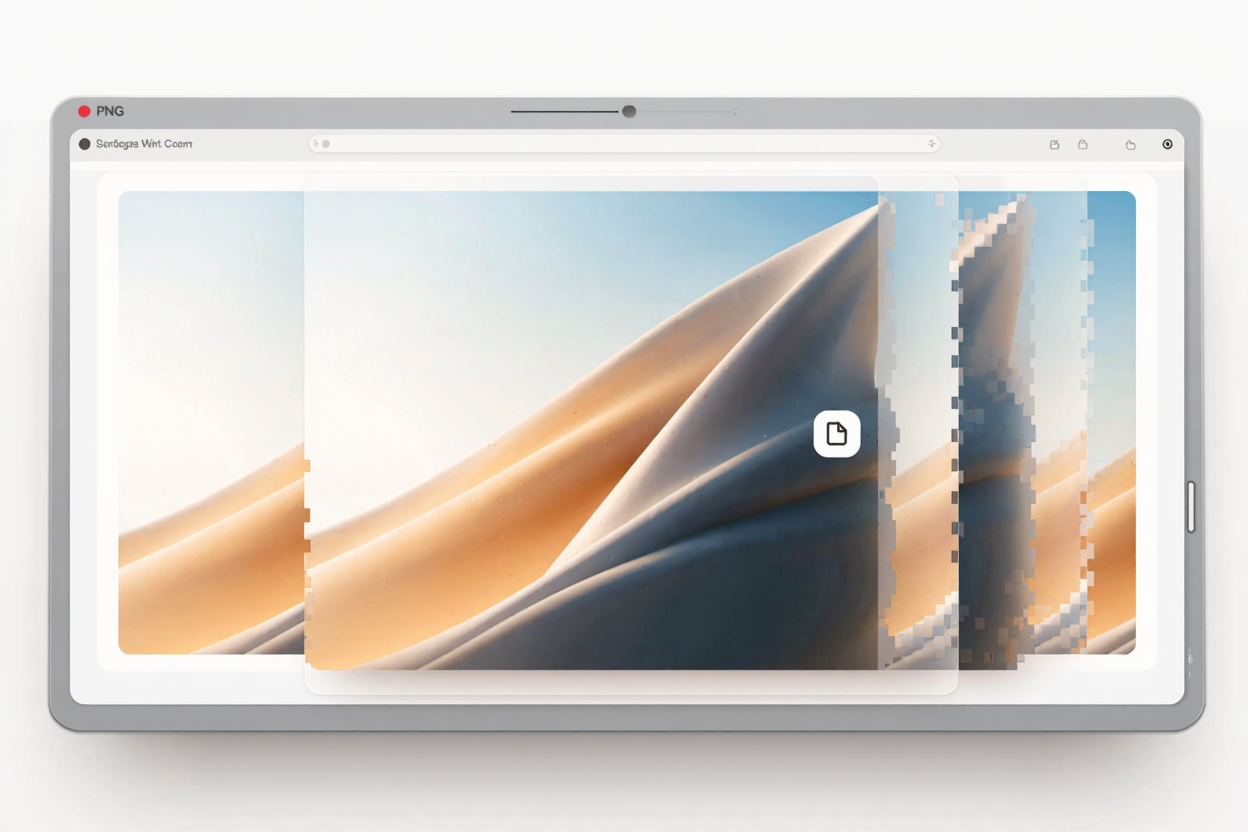
PNG (Portable Network Graphics) interlacing is a fascinating technique that can significantly impact how users perceive your website's loading speed. While often overlooked, understanding interlacing can be a powerful tool for enhancing user experience, especially for image-heavy sites or those catering to users with slower internet connections. It's all about how an image reveals itself on screen as it downloads.
Understanding PNG Interlacing
When a PNG image is not interlaced, it loads sequentially. This means the image data is processed from top to bottom, line by line. As the image downloads, you see a blank space gradually filled in from the top, revealing the full image only when all data has arrived. This can feel slow and clunky, particularly for large images or slow networks, as users have to wait for the entire top portion to load before getting any visual context.
In contrast, PNG interlacing employs a method called Adam7 algorithm, which allows the image to load progressively. Instead of loading line by line, the image appears in a series of passes, gradually increasing in detail. Initially, a low-resolution version of the entire image is displayed quickly, followed by subsequent passes that fill in the missing pixels and refine the image quality until it reaches full resolution. This gives the impression of faster loading, as users get a preview of the content much earlier.
How Adam7 Interlacing Works
The Adam7 algorithm breaks down the image data into seven distinct passes. Each pass transmits a subset of the image's pixels, covering the entire image area but at different resolutions. The first pass might send only 1/64th of the pixels, creating a very blocky, low-resolution version. Subsequent passes then fill in more details, refining the image with each stage until the complete, high-resolution image is rendered.
This multi-pass approach ensures that even with a partial download, the user can see a rough outline of the entire image. This visual feedback is crucial for user engagement, preventing the frustration of staring at a blank space. It allows users to quickly grasp the image's content and decide if they want to wait for the full resolution.
The Benefits of PNG Interlacing for User Experience
The primary advantage of PNG interlacing lies in its ability to improve perceived loading speed. Even if the actual download time remains the same, a progressively loading image feels faster to the user. This is because they aren't waiting for a blank space to fill; instead, they see immediate visual progress.
This "fast-enough" experience is particularly valuable for users on mobile devices or those with unreliable internet connections. Instead of encountering broken images or long waits, they receive an immediate, albeit lower-fidelity, representation of the content. This enhances overall user satisfaction and reduces bounce rates, as users are less likely to abandon a page that shows immediate progress.
Furthermore, interlacing provides early visual context. For images that are critical to understanding the page content, like product photos or informational graphics, a progressive load ensures that users can quickly understand what the image depicts. This can be vital for navigation and content comprehension, allowing users to make faster decisions about interacting with your site.
The Downsides of PNG Interlacing
While beneficial for UX, interlacing isn't without its trade-offs. The most notable drawback is a slight increase in file size. Because the image data is rearranged into multiple passes, the interlaced PNG typically ends up being marginally larger than its non-interlaced counterpart. This size difference is usually small, often just a few kilobytes, but it's a factor to consider for sites where every byte counts.
Another consideration is the increased CPU overhead required for decoding interlaced images. The browser needs to perform more calculations to reconstruct the image from its multiple passes, which can slightly impact performance on older or less powerful devices. For most modern devices, this impact is negligible, but it's a point to be aware of.
Therefore, interlacing might not be ideal for very small images, such as icons or thumbnails, where the overhead of interlacing outweighs the benefits. For these smaller assets, the sequential loading is usually fast enough, and the slight file size increase from interlacing would be unnecessary.
When to Use PNG Interlacing
Deciding when to use PNG interlacing comes down to balancing user experience with performance considerations. It's generally most effective for larger images that form a significant part of your page's visual content. Think hero images, banners, or large product photos. For these elements, the perceived speed improvement offered by progressive loading far outweighs the minor increase in file size or decoding complexity.
Consider implementing interlacing for pages where users might experience slower network speeds. If your target audience is global or frequently accesses your site on mobile data, interlaced PNGs can provide a much smoother experience. It ensures that even under suboptimal conditions, your content remains accessible and engaging.
Ultimately, interlacing is a strategic choice. While it can enhance the user experience for larger, critical images, it's not a universal solution for every PNG on your site. Thoughtful application ensures you reap the benefits without introducing unnecessary overhead.
Optimizing PNGs for Performance
Regardless of whether you choose interlacing, optimizing your PNG files is crucial for overall website performance. Large, unoptimized images are a common culprit for slow loading times, directly impacting user experience and SEO. Reducing file size without compromising visual quality should always be a priority.
Tools like PNG optimization tool can drastically cut down the size of your PNG files. They work by removing unnecessary metadata, optimizing color palettes, and applying efficient compression algorithms. This process ensures your images load faster, saving bandwidth and improving your site's perceived speed. You can compress your PNG files for free directly on our website.
For comprehensive image optimization, consider using a dedicated <a href="https://convertminify.com/tools/compress-png" target="_blank" rel="noopener noreferrer">PNG Compressor</a>. These tools provide advanced features and often integrate seamlessly into your workflow, helping you maintain high-quality images while keeping file sizes to a minimum. Efficient image management is a cornerstone of modern web development.
FAQ
Q1: Does PNG interlacing increase file size significantly?
A1: PNG interlacing typically causes only a very slight increase in file size, usually just a few kilobytes. For most larger images, this minor overhead is easily offset by the enhanced user experience of progressive loading.
Q2: Is PNG interlacing suitable for all images on a website?
A2: No, interlacing is generally most beneficial for larger images like hero banners or product photos. For very small images such as icons or thumbnails, the benefits of interlacing are minimal, and the slight file size increase might not be justified.
Q3: How does PNG interlacing improve user experience?
A3: Interlacing improves user experience by allowing images to load progressively, showing a low-resolution version first and then gradually refining it. This gives the impression of faster loading and provides immediate visual feedback, reducing user frustration on slower connections.
Enhance Your Website's Speed Today
Optimizing your images, including strategic use of PNG interlacing, is a fundamental step toward a faster, more engaging website. Don't let large image files slow down your user experience. Start improving your site's performance now by visiting PNGMinify. You can effortlessly compress your PNG files for free and deliver a superior browsing experience to all your visitors.