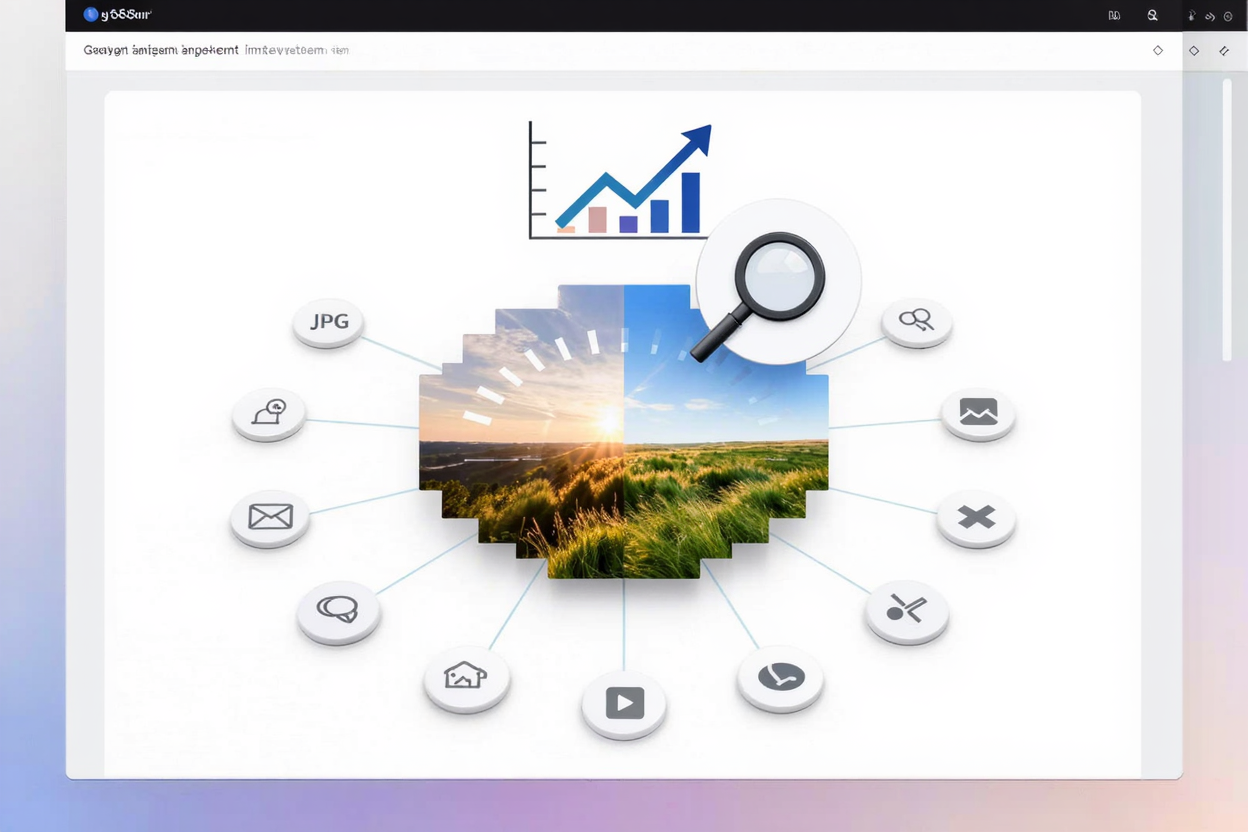
In today’s fast-paced digital world, website speed is paramount, not just for user experience but also for search engine rankings. Images, while crucial for visual appeal and conveying information, are often the heaviest elements on a page, significantly impacting load times. Optimizing your images for SEO and Core Web Vitals is no longer optional; it's a fundamental requirement for online success.
Understanding the interplay between image optimization, SEO, and Google’s Core Web Vitals is key. Core Web Vitals (CWV) are a set of metrics that measure a website's user experience in terms of loading, interactivity, and visual stability. Large, unoptimized images directly hinder these metrics, leading to poor user experience and lower search engine rankings.
Why Image Optimization Matters for SEO and Core Web Vitals
Optimized images contribute significantly to a better user experience, which Google heavily prioritizes. Faster loading times reduce bounce rates and encourage longer site visits. This positive user engagement signals to search engines that your site provides value, leading to improved rankings.
Core Web Vitals and Image Impact
- Largest Contentful Paint (LCP): This metric measures the time it takes for the largest content element on the screen to become visible. Often, the LCP element is an image. A large, unoptimized image will drastically increase LCP, negatively impacting your CWV score and potentially your search ranking.
- Cumulative Layout Shift (CLS): CLS quantifies unexpected layout shifts of visual page content. Images without specified dimensions can cause CLS as the browser initially renders content without knowing the image’s space requirements. When the image finally loads, it pushes other content around, creating a frustrating user experience.
- Interaction to Next Paint (INP) / First Input Delay (FID): While images primarily affect LCP and CLS, excessive image loading can indirectly strain the main thread, delaying interactivity. Efficient image loading frees up resources, ensuring a smoother, more responsive user interface.
Essential Strategies for Image Optimization
Implementing a robust image optimization strategy involves several key areas. Each plays a vital role in balancing visual quality with performance.
1. Image Compression
Compression is the most impactful step in reducing file size without significant loss of quality. There are two main types: lossy and lossless.
- Lossy Compression: This method removes some image data permanently, resulting in a smaller file size but a slight reduction in quality. It's often suitable for photographs where minor quality changes are imperceptible.
- Lossless Compression: This method reduces file size without discarding any data. The image quality remains identical to the original, making it ideal for graphics, logos, or images where every pixel matters. For PNG files, lossless compression is crucial. You can easily compress your PNG files for free using a dedicated tool.
2. Choosing the Right Image Format
Selecting the appropriate file format for each image is crucial for optimization.
- WebP: This modern format offers superior lossless and lossy compression for images on the web, often resulting in significantly smaller file sizes than JPEG or PNG while maintaining high quality. It's widely supported by modern browsers and is highly recommended.
- JPEG: Best for photographs and complex images with many colors. It uses lossy compression, allowing for good quality at relatively small file sizes.
- PNG: Ideal for images requiring transparency (like logos) or sharp graphics with fewer colors. PNG uses lossless compression, making it larger than JPEG for similar photographic content but perfect for detailed graphics. Remember to compress your PNG files for free for optimal performance.
- SVG: A vector-based format perfect for logos, icons, and illustrations. SVGs are scalable without quality loss and have tiny file sizes.
3. Responsive Images with srcset and sizes
Modern websites are accessed on a myriad of devices with varying screen sizes and resolutions. Responsive images ensure that users receive the most appropriate image size for their device, preventing unnecessary downloads of large images on smaller screens.
Use the srcset attribute to define a set of different image sources and their sizes, and the sizes attribute to tell the browser how wide the image will be at different viewport sizes. This allows the browser to intelligently pick the best image source, saving bandwidth and improving LCP.
4. Implement Lazy Loading
Lazy loading defers the loading of off-screen images until the user scrolls near them. This dramatically improves initial page load times, as the browser only loads images that are immediately visible. Most modern browsers support native lazy loading with the loading="lazy" attribute.
5. Descriptive Filenames and Alt Text
While not directly impacting Core Web Vitals, proper filenames and alt text are vital for image SEO and accessibility. Search engine crawlers use this information to understand the content of an image.
- Filenames: Use descriptive, keyword-rich filenames (e.g.,
blue-widget-product-shot.jpginstead ofIMG001.jpg). - Alt Text: Provide concise, descriptive alt text that accurately describes the image's content. This benefits visually impaired users using screen readers and helps search engines index your images. Include relevant keywords naturally.
6. Specify Image Dimensions
Always include width and height attributes for your images in the HTML. This reserves the necessary space for the image before it loads, preventing layout shifts (CLS) and providing a smoother user experience.
7. Utilize a Content Delivery Network (CDN)
A CDN stores copies of your website's static content (including images) on servers distributed globally. When a user requests your site, the CDN delivers content from the server geographically closest to them, significantly speeding up image delivery and overall page load times.
8. Optimize Other Media Too
While focusing on images, remember that other media types can also impact performance. For instance, large PDF files can also slow down content delivery. Consider tools that help you <a href="https://pdfalone.com/tools/compress-pdf" target="_blank" rel="noopener noreferrer">Compress PDF</a> files for a holistic approach to site speed.
How PNGMinify Helps Your Optimization Efforts
PNGMinify is your go-to PNG optimization tool designed to simplify the image compression process. By efficiently reducing the file size of your PNG images using advanced lossless compression algorithms, PNGMinify helps you achieve faster load times, improve your Core Web Vitals scores, and enhance your overall SEO performance. It’s a crucial resource for any website owner looking to boost their site's speed and user experience without compromising on image quality.
FAQ
What are Core Web Vitals and how do images affect them?
Core Web Vitals are a set of metrics from Google that measure real-world user experience for loading, interactivity, and visual stability. Large, unoptimized images directly increase Largest Contentful Paint (LCP) and cause Cumulative Layout Shift (CLS), both of which negatively impact your CWV scores and SEO rankings.
What's the best image format for SEO?
For most web images, WebP is generally the best choice due to its superior compression and quality balance. For photographs, JPEG remains a good option. For images requiring transparency or sharp graphics, PNG is suitable, but always ensure it's compressed. SVG is ideal for logos and icons.
Is alt text still important for SEO?
Absolutely. Alt text is crucial for accessibility, allowing screen readers to describe images to visually impaired users. From an SEO perspective, alt text provides search engines with context about the image content, helping them index your images correctly and potentially appear in image search results.
By implementing these image optimization strategies, you're not just improving your website's technical performance; you're investing in a better user experience and stronger search engine visibility. Start optimizing your images today.
Ready to give your website a speed boost? Head over to PNGMinify and start compressing your images for free to improve your Core Web Vitals and SEO performance now!