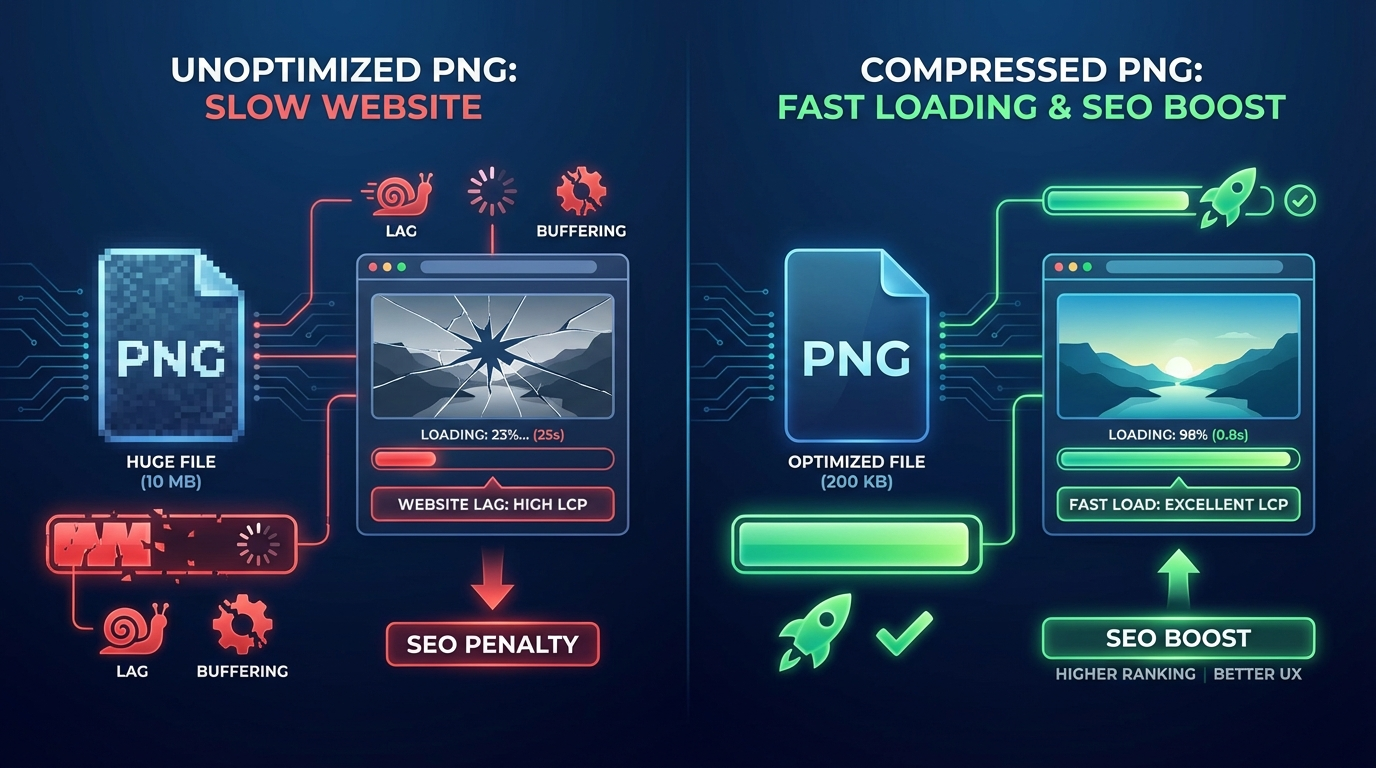
Why PNG Compression is Crucial for Website Speed and SEO
In today's fast-paced digital world, a slow website is a death sentence. Users expect instant access to information, and search engines prioritize sites that deliver a seamless experience. One of the biggest culprits behind sluggish website performance is often overlooked: unoptimized images, particularly large PNG files.
This comprehensive guide will delve into why PNG compression is not just a good idea, but a crucial strategy for enhancing website speed, boosting your SEO, and ensuring a superior user experience. We'll explore the impact of image optimization on key metrics like Core Web Vitals and show you how tools like pngminify.com can make the process effortless.
The Silent Killer of Website Performance: Large PNG Files
Imagine clicking on a link, only to watch a blank screen or a slowly loading image for several seconds. Frustrating, isn't it? This common scenario is often caused by oversized image files, and PNGs are frequently the biggest offenders.
While PNGs are fantastic for their lossless quality and support for transparency, these very features can lead to significantly larger file sizes compared to other formats like JPGs. Every extra kilobyte adds to your page's load time, directly impacting how quickly visitors can access your content.
Understanding PNGs: Why They Can Be So Large
PNG (Portable Network Graphics) is a popular image format, especially for graphics, logos, icons, and images requiring transparency. Unlike JPGs, which use lossy compression (discarding some image data), PNGs use lossless compression. This means every pixel of information is preserved, ensuring perfect image quality.
While this lossless quality is excellent for preserving details, it also means that PNG files can retain a lot of unnecessary data. Even a seemingly small PNG can carry significant weight, especially if it contains many colors or complex alpha channels for transparency. This inherent characteristic makes reducing PNG file size a critical task for webmasters.
The Direct Link: PNG Compression and Website Speed
When a user visits your website, their browser has to download all the assets, including your images. The larger these images are, the longer it takes for them to download and render on the screen. This directly translates to slower page load times.
PNG compression significantly shrinks the file size of your images without compromising visual quality (or with minimal, imperceptible loss). By stripping away redundant data, optimizing color palettes, and applying advanced compression algorithms, you can drastically reduce the amount of data a browser needs to download. The result? Fast loading websites that keep users engaged and happy.
Beyond Speed: How PNG Compression Boosts Your SEO
Website speed is no longer just a luxury; it's a fundamental ranking factor for search engines like Google. Google explicitly states that page experience, which includes loading speed, is crucial for search rankings. Here's how image optimization through PNG compression directly impacts your SEO:
- Improved Search Engine Rankings: Faster websites are favored by search engines. If your pages load quickly, Google is more likely to rank them higher in search results, giving you a competitive edge.
- Lower Bounce Rate: Users are impatient. If your site takes too long to load, they'll hit the back button. A high bounce rate signals to search engines that your site might not be providing a good user experience, potentially hurting your rankings.
- Increased Crawl Budget Efficiency: Search engine bots (crawlers) have a limited budget for how many pages they can crawl on your site within a given timeframe. Faster loading pages mean crawlers can process more of your content, leading to better indexing and visibility.
- Better Mobile Performance: A significant portion of web traffic comes from mobile devices, which often have slower internet connections. Compressed PNGs ensure your site loads quickly and smoothly on mobile, which is a critical factor for mobile-first indexing.
Core Web Vitals: Your New Best Friends (Thanks to Compression!)
Google's Core Web Vitals are a set of specific factors that measure a page's overall user experience. They include:
- Largest Contentful Paint (LCP): Measures loading performance. It reports the render time of the largest image or text block visible within the viewport. Large, unoptimized PNGs are often the largest contentful element, directly increasing your LCP score. PNG compression can dramatically improve this metric by reducing the time it takes for the largest image to load.
- First Input Delay (FID): Measures interactivity. While not directly impacted by image size, a page that loads faster due to optimized images frees up the main thread sooner, making the page more responsive to user input.
- Cumulative Layout Shift (CLS): Measures visual stability. Although primarily related to layout shifts, a faster loading page with images that have defined dimensions can prevent content from jumping around as images load, indirectly contributing to a better CLS score.
Achieving good Core Web Vitals scores is paramount for SEO. By prioritizing PNG compression, you're directly addressing key factors that Google uses to evaluate your site's performance and user-friendliness.
Enhanced User Experience: Keeping Visitors Happy
Beyond search engines, the ultimate goal of any website is to serve its users effectively. A fast-loading website with optimized images provides a superior user experience in several ways:
- Reduced Frustration: No more waiting for images to appear. Users can immediately see your content as intended.
- Increased Engagement: A smooth, responsive site encourages users to spend more time exploring your pages, reading your content, and interacting with your offerings.
- Higher Conversion Rates: For e-commerce sites, blogs, or service providers, a seamless experience often translates to higher conversion rates, whether it's making a purchase, signing up for a newsletter, or filling out a contact form.
- Professional Impression: A fast website projects professionalism and attention to detail, building trust with your audience.
Practical Steps to PNG Compression: Doing It Right
So, how do you go about reducing PNG file size effectively? There are several approaches you can take:
- Manual Compression Software: Tools like Adobe Photoshop or GIMP offer options to save images for web, allowing you to adjust quality settings and color depth. However, this can be time-consuming for multiple images.
- Content Management System (CMS) Plugins: If you use WordPress, Squarespace, or similar platforms, there are plugins available that automatically compress images upon upload. These are convenient but might have limitations or subscription costs.
- Online PNG Compressors: These web-based tools offer a quick and efficient way to compress your PNGs without needing to download any software. They are often free and user-friendly, making them ideal for individuals and businesses alike.
Regardless of the method, the goal is to achieve the smallest possible file size with the highest acceptable visual quality. For PNGs, this often involves reducing the number of colors in the palette (quantization) or optimizing the internal data structure.
Introducing pngminify.com: Your Go-To Online PNG Compressor
When it comes to effortlessly reducing PNG file size without compromising quality, pngminify.com stands out as a powerful and user-friendly solution. As a dedicated online PNG compressor, it simplifies the often-complex task of image optimization.
With pngminify.com, you can:
- Upload Multiple Files: Drag and drop or select several PNGs at once for batch compression, saving you valuable time.
- Achieve Significant Reductions: Our advanced algorithms analyze your PNGs and apply optimal compression techniques to deliver the smallest possible file size.
- Maintain Quality: We prioritize visual integrity, ensuring that your compressed images look virtually identical to the originals, even after substantial file size reductions.
- Enjoy a Free Service: pngminify.com is a free tool, making professional-grade image optimization accessible to everyone.
- Experience Simplicity: The intuitive interface means you don't need any technical expertise to get started. Just upload, compress, and download.
Using an efficient tool like pngminify.com is a cornerstone of maintaining fast loading websites and achieving excellent SEO performance.
Tips for Effective Image Optimization Beyond Compression
While PNG compression is vital, here are additional tips for comprehensive image optimization:
- Choose the Right Format: Use JPG for photographs, PNG for graphics with transparency, and WebP for next-gen performance where supported.
- Resize Images Correctly: Ensure images are scaled to their display dimensions. Don't upload a 4000px wide image if it will only be displayed at 800px.
- Implement Lazy Loading: Load images only when they enter the user's viewport, improving initial page load times.
- Use Responsive Images: Serve different image sizes based on the user's device and screen resolution using srcset and sizes attributes.
- Add Alt Text: Provide descriptive alt text for all images. This improves accessibility and helps search engines understand your image content, boosting your image SEO.
- Cache Images: Leverage browser caching to store images locally on a user's device after their first visit, speeding up subsequent visits.
Frequently Asked Questions (FAQ)
What is PNG compression?
PNG compression is the process of reducing the file size of a PNG image without significantly impacting its visual quality. This is achieved by optimizing the image's internal data structure, color palette, and metadata, making it faster to load on websites.
How does PNG compression affect website speed?
By reducing the file size of PNG images, compression minimizes the amount of data a user's browser needs to download. This directly leads to faster page load times, which is crucial for a positive user experience and better search engine rankings.
Is PNG compression important for SEO?
Absolutely. Website speed is a confirmed ranking factor for search engines like Google. Faster loading pages, achieved through image optimization and PNG compression, contribute to better Core Web Vitals, lower bounce rates, and improved search engine visibility, all of which are vital for strong SEO.
Will compressing my PNGs reduce their quality?
Modern online PNG compressor tools, like pngminify.com, use advanced lossless or near-lossless compression techniques. This means the visual difference after compression is often imperceptible to the human eye, ensuring your images retain their crispness and detail while being significantly smaller in file size.
Conclusion
In the competitive landscape of the internet, website speed and superior user experience are non-negotiable. Large, unoptimized PNG images are a common bottleneck, hindering both your site's performance and its potential for strong SEO rankings.
By embracing PNG compression, you're not just shrinking file sizes; you're investing in fast loading websites, improving your Core Web Vitals, and ensuring your visitors have a smooth, engaging experience. Make image optimization a priority in your web strategy.
Ready to transform your website's performance? Take the first step towards a faster, more SEO-friendly site. Visit pngminify.com today and experience the power of effortless online PNG compressor for yourself!